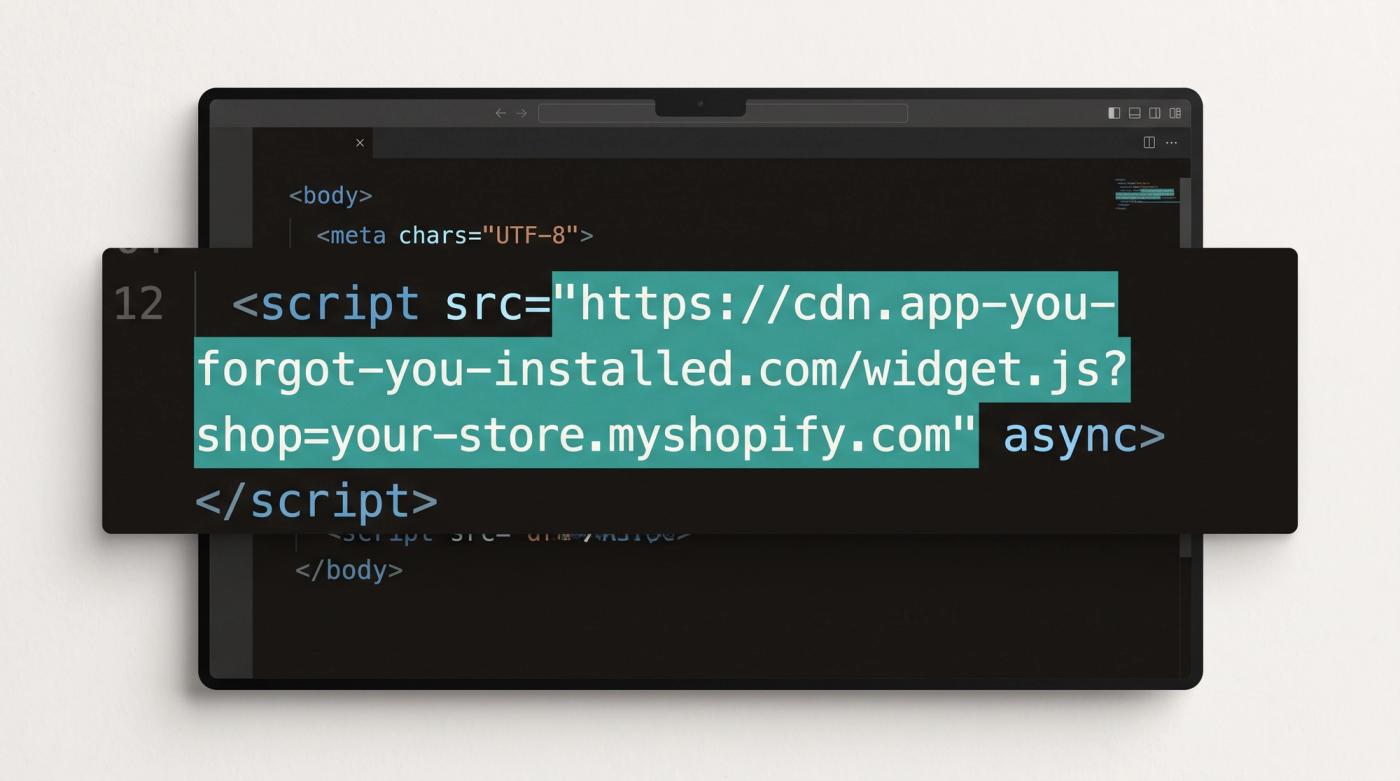
If your store has been on Shopify for a few years, some of your apps might still be loading their code through script tags, which is the older way apps added JavaScript to a storefront. Shopify is switching them off in two stages. Since 1 October 2026 your apps haven't been able to add new script tags or change the ones they already have, although the existing ones keep running for now. On 1 March 2027 Shopify stops loading them altogether, so whatever an app was doing through a script tag on your storefront will just stop working that day.
Your side of the fix is usually quick. Most of the work is finding out which of your apps are affected, and that's worth starting now so you're not chasing app developers in February.
Key takeaways
- On 1 March 2027 Shopify stops loading script tags on storefronts, on every API version, so nothing can delay it.
- Apps haven't been able to create or update script tags since 1 October 2026. The ones already on your store keep running until March.
- Smaller apps and apps that haven't been updated in a long time are the most likely to be affected, but old script tags from apps you installed years ago can still be there too.
- For apps you rely on, contact the developer now and ask when they're moving over. If you don't hear back, plan for an alternative.
- Apps you don't use any more should simply be uninstalled.
- Avoid changing apps during Black Friday and Cyber Monday. Contact developers now and make the changes in a quieter window afterwards.
What's changing, and when
Shopify announced the change in its developer changelog on 24 August 2026. There are two dates that matter for your storefront:
| Date | What happens |
|---|---|
| 1 October 2026 | Apps can no longer create new script tags or update existing ones. Script tags already on your store keep running. |
| 1 March 2027 | Shopify stops loading script tags on your storefront. Anything that still depends on one stops working. |
Shopify's changelog is clear that this applies to every API version, so an app can't get around it by sticking to an older version of Shopify's API.
The replacement depends on what the script was doing. If it shows something on your storefront, like a review widget or a pop-up, the app moves to an app embed, which is a small switch you turn on in your theme editor. If it only collects analytics or conversion data, it moves to a web pixel, which runs in the background and needs nothing from you.
Which apps are likely to be affected
The biggest, best-known apps have had plenty of notice and most will be on top of this. The risk sits with smaller apps that do one small job on your store and are run by a single developer or a small team, and with apps on the Shopify App Store that haven't been updated in a long time. If an app you depend on falls into either group, it's the first one to check.
It's worth checking the well-known apps too though. A script tag added when you first installed an app can still be sitting on your store years later, even if the app has since moved to the newer way of doing things, so how big the app is doesn't tell you on its own whether your store is affected.
How to check your store
- List your apps. In your Shopify admin, go to Settings > Apps. This shows everything installed on your store.
- Sort them into two groups. Apps you rely on, and apps you don't use or can't remember installing.
- Contact the developers of the apps you rely on. Go to Settings > Apps, open the app and use Get support. Ask whether the app still uses script tags on your store and, if it does, when they're moving to an app embed. A clear answer with a date is a good sign.
- Get a developer to check the storefront if you want to be certain. A developer can look at your store's code and list every script tag that's still loading in a few minutes, so you're not relying on anyone's memory of what was installed.
What to do with each app
| Your app | What to do |
|---|---|
| You rely on it and the developer has moved it over | Switch on its app embed in your theme editor (steps below) and check it still works. |
| You rely on it and the developer hasn't replied | Chase them before the end of the year. If there's still nothing, find an alternative or have the feature built into your theme. |
| You don't use it or it isn't adding anything | Uninstall it. |
If an app is important and you're not getting a response from the developer, take that as a sign the app is unlikely to be updated in time. Don't wait until February to find out.
How to switch on an app embed
Once an app has moved over, it'll usually ask you to switch on its app embed. Shopify's help centre gives the steps:
- In your Shopify admin, go to Online Store.
- Find your theme and click Edit theme.
- In the sidebar, click the App embeds icon.
- Turn on the toggle next to the app.
- Click Save, then preview your store to check the app is showing as it should.
App embeds work with any theme version, so you don't need a newer theme to use them.
A good moment to tidy up your apps
A lot of stores install apps and never remove them, or add a whole app for one very small feature. This change is a good reason to go through the list properly and ask what each app is actually doing for you. Every app you keep is more code loading on your storefront, which can slow it down, and it's another company's code running on your store.
That matters more than it might sound, because in October 2026 code from several well-known apps was tampered with and started sending shoppers who clicked checkout to fake payment pages. There's no evidence Shopify's own checkout was breached - the bad code came through the apps. Shopify has since asked app developers to tighten their security, saying attacks across the app ecosystem are increasing. Moving an app to an app embed doesn't make it safe on its own, so having fewer apps really is the safer position.
AI has changed the maths on a lot of small apps. Features like a size guide, a delivery message or a simple badge used to be worth paying an app for because building them into your theme took too long to make sense. With AI, a developer can now build them straight into your theme in a fraction of the time, so the feature is part of your store and there's no app to pay for or worry about.
Not all app code is a script tag either. A lot of apps, especially older ones, added code directly to your theme's theme.liquid file or asked you to paste it in yourself. That code isn't affected by the March change, but if the app it belonged to is long gone, it's dead weight on every page and worth removing while you're tidying up. Shopify's help centre says some apps add code to your theme that isn't removed automatically when you uninstall them, so when you remove an app, check the listing or ask the developer whether there's anything left to clean up.
When to do it
Contact your app developers now, but don't start swapping or removing apps that are doing a job during Black Friday and Cyber Monday. Peak season isn't the time to change how your store works. Plan the actual changes for a quieter window afterwards, and make it a priority from January so everything is switched over and tested well before 1 March.
What this doesn't change
- Script tags already on your store keep running until 1 March 2027. Nothing breaks before then.
- Tracking moving to web pixels needs nothing from you. The app developer does the work.
- The order status page is a separate change. Shopify's docs say script tags have already stopped running there for Plus stores. This change is about the rest of your storefront.
Next step
Go to Settings > Apps this week, sort your apps into the ones you rely on and the ones you don't, and message the developers of the ones you rely on. If you don't hear back by the end of the year, you'll still have January and February to sort out an alternative.
If you're not sure where your store stands, this is something we've been helping brands with, and we're happy to take a quick look and have a short call about it. Book a call.
Fancy more of this in your inbox?
Sign up for our newsletter. We promise it's only Shopify tips and insights to help your store do better.
Thanks, .
Check your inbox to confirm.